Tasks
Rebuild materialized views and run procedures in order, on a schedule, after a sync, or on demand, with a full run history.
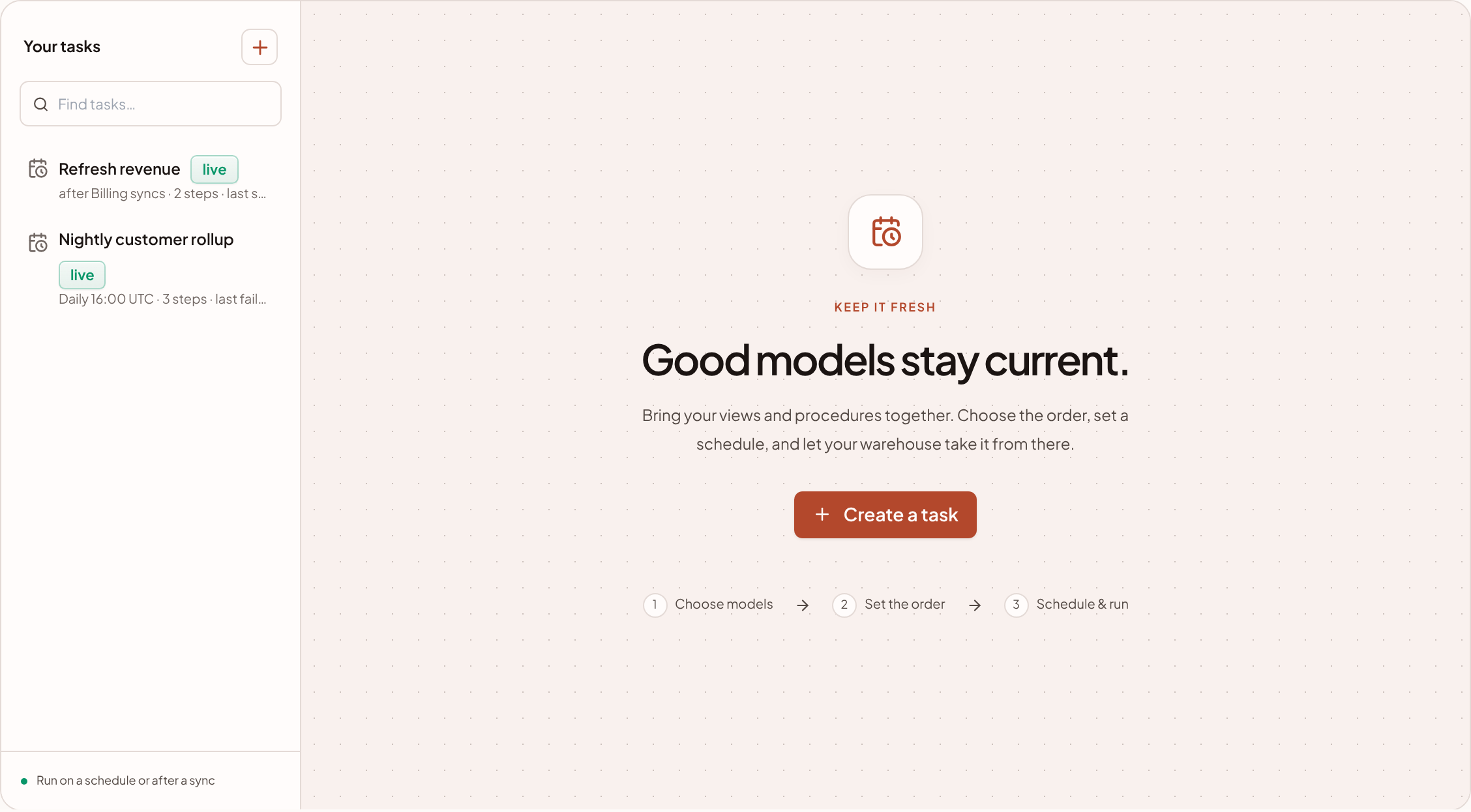
A task is an ordered list of steps in one warehouse. Each step either refreshes a materialized view or calls a procedure. A task runs when its schedule comes round, when a connection you chose finishes syncing, or when you press Run now.
Tasks keep your modelled tables current without anyone remembering to rebuild them. To watch everything that runs on a clock in one place, see Pipeline and scheduled tasks.
Only owners and admins can create, change, run or delete tasks, because every run costs compute. Other members can read them.
Before you start
A task needs something to run. Regular views are always current and cannot be scheduled. You need at least one materialized view or procedure in the warehouse. If there is none, the Tasks tab says so and offers Build a model first.
Create a task
- Open the Tasks tab. In Data · Modelling, choose Tasks, then Create a task. You can also press Schedule task on a materialized view or procedure, which starts a task with that object as its first step.
- Name it. Give it a Name, such as
nightly rebuild, and an optional Description. A name is unique within a warehouse. - Add steps. Under Steps, in order, choose each step from the menu. A materialized view appears as
refresh derived.<name>and a procedure ascall derived.<name>. For a procedure, type its arguments in order, separated by commas. Press Add a step for more, up to 20. - Chain steps if they depend on each other. On every step after the first, only if the step before succeeded is ticked by default. Untick it if a step should run even when the one before failed.
- Choose when. Under When, pick a Run frequency, or connect it to a sync (see below), or leave both empty to run only by hand.
- Set the safety limits. Pause itself after is how many failures in a row it takes to pause the task (default 3, and 0 never pauses it). Maximum run time is in minutes, from 1 to 14.
- Press Create task.
Choose when it runs
Run frequency offers Manual, Hourly, Daily and Weekly.
| Choice | Options |
|---|---|
| Manual | Runs only when you press Run now, or a connection you linked finishes syncing. |
| Hourly | Every hour, Every 6 hours or Every 12 hours. These run on the hour, in UTC. |
| Daily | A Time, and a Timezone. |
| Weekly | The days to run on, a Time and a Timezone. |
Under the choices, sanda shows the schedule in words and the Next run. A daily or weekly schedule stays at the same local time when the clocks change.
The 15 minute grid
sanda's scheduler wakes every 15 minutes, on :00, :15, :30 and :45. A schedule can therefore only name one of those minutes. The Time list offers them and nothing else, and sanda refuses a schedule set any other way.
A schedule that was stored off the grid still runs, at the next slot: a 9:07 start runs at 9:15. The same applies to Run now. It queues the run, and it starts at the next quarter hour, not at once.
Also run after a sync
Also run after a sync picks one of your connections. Each time it finishes a sync successfully, the task is queued. This is usually the better trigger: the task rebuilds when the data is new, rather than at a guessed hour. You can use it with a schedule, or on its own.
What a run does
Each run:
- runs the steps in order;
- records every step as its own run, with the seconds it took and the compute it was billed as;
- gives up when the run's time is used up. A step that has no time left is skipped and says so.
A step is skipped, with the reason recorded, when:
- a step it was chained to did not succeed;
- the object it points to no longer exists;
- the run's maximum time was used up before it.
The run then has a status:
| Status | Meaning |
|---|---|
succeeded |
Every step succeeded. |
partial |
Some steps succeeded and some did not. |
failed |
No step succeeded. |
A task never runs against itself. If a run is already queued or running, a schedule that comes round is passed over, and Run now tells you a run is already in progress.
A run has up to 14 minutes in total, because one run has to fit inside one of sanda's scheduler ticks. Each step gets whatever time is left.
Read a task
Select a task in the list. The header shows its state, and:
| Fact | Meaning |
|---|---|
| runs | Its cadence, or the connection it runs after. |
| next | When it will run next, if it is live. |
| last | The outcome and time of the last run. |
| steps | How many steps it has. |
| one run may take | Its maximum run time. |
| pauses itself | After how many failures in a row, and how many it has had so far. |
Below it are the steps, What it affects (each object, the fluid table it is published as, and what reads it), and Runs. Each run shows its status, when it started, what started it, how many steps succeeded, how long it took and the compute it was billed as. Open each step for the step's own seconds, rows and size, and any error.
What started a run appears as the trigger: schedule, console (Run now), after_sync, or mcp for an agent.
States
| State | Meaning |
|---|---|
| live | It runs on its schedule and after its sync. |
| paused | You paused it. Nothing fires it until you press Resume. |
| suspended | It paused itself after too many failures in a row. |
Run, pause, change and delete
| Button | What it does |
|---|---|
| Run now | Queues a run. It starts at the next quarter hour. Disabled while the task is paused. |
| Pause and Resume | Stops and restarts its schedule. Resume also clears its failure count and lifts a self-pause. |
| Redefine | Opens the form. Saving replaces the steps and the schedule as a whole. |
| Delete | Removes the task. Its runs stay in the history. Nothing else is touched. |
To change only when a task runs, you can also use Save run time on the Pipeline page, without opening the form.
When a task fails
When a run does not succeed, the failure counts against the task, and the last run shows the first error, for example refresh daily_revenue: …, which names the step and then what went wrong.
After the number of failures in a row that you set, the task pauses itself. It shows suspended, with Paused itself and how long ago, and its schedule stops. The message says: fix what the last run names, then resume it.
- Open the task and read the error on the last run. Open each step to see which one failed.
- Fix the cause. Typical causes are a step's object being dropped, a build running out of time, or a source table changing shape. Fix it in Modelling.
- Press Resume. Press Run now to check it works before waiting for the schedule.
sanda emails your alert recipients when a scheduled run fails or pauses itself, at most once a day for each task. You can switch that off, or add recipients, in Settings · Plan & budget · Budget & alerts.
Tasks and budgets
If the workspace is suspended for its budget, nothing is queued. A task does not replay the runs it missed: once the warehouse is resumed it carries on from its next scheduled time. A run that was already queued ends with the suspension message and does not count as a failure of the task.
Something unclear or out of date? Tell us, and we will fix the page.